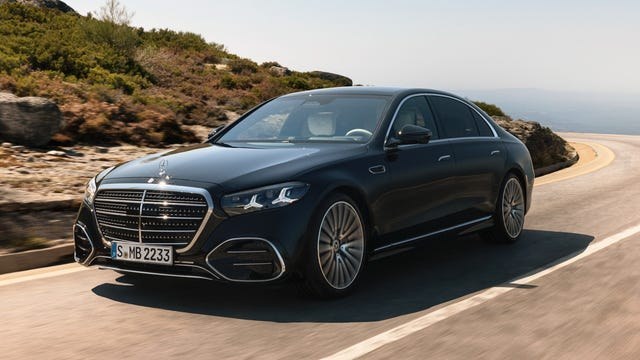

6 Google Maps features that work better on Android Auto than on CarPlay
A test of Google Maps in one car showed that Android Auto is more convenient than CarPlay for everyday navigation. The difference is noticeable in Gemini's functionality, comparing locations along the route, map control, pre-trip tips, and electric vehicle route planning.
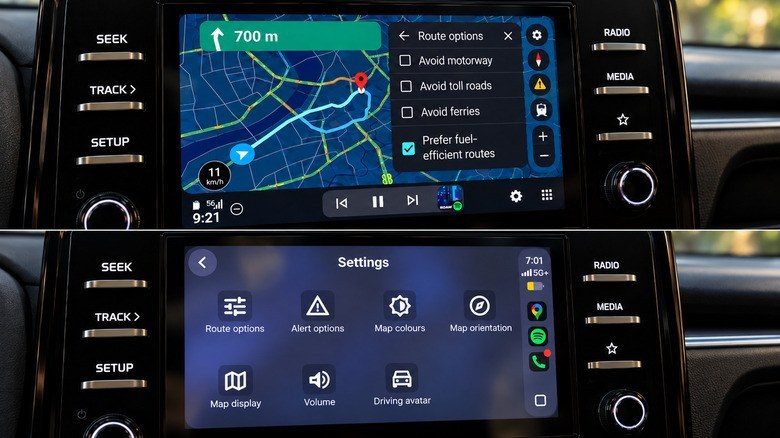
In Android Auto, Gemini can be activated by voice without touching the screen. The assistant processed requests to find a gas station or pharmacy along the way, add a stop, and show alternative routes more quickly. In CarPlay, the same actions were available after launching Gemini with a button, but during the test, they took longer; once, the assistant failed to connect.
Google Maps on Android Auto simultaneously displayed location options along the route, their ratings, and additional travel time. On CarPlay, results were shown one at a time. Android Auto also offered on-screen zoom buttons and gesture-based zoom control, whereas CarPlay required a separate mode for map control.
Before entering a destination, Android Auto immediately displayed a "Home" shortcut with estimated arrival time and distance, as well as recent places and saved locations. The system provided more detailed explanations of which route consumes less fuel. Meanwhile, CarPlay offered more convenient access to map color scheme settings.
For compatible electric vehicles, Android Auto can account for battery charge, vehicle specifications, traffic, terrain, and weather. Google Maps suggests charging stops, calculates the battery level upon arrival, and includes charging time in the trip forecast. The feature supports over 350 electric vehicle models from more than 15 brands in the U.S.; no comparable launch for CarPlay is mentioned in the source.